Features
One platform, three roles
Everything below works today on the web. The desktop and phone apps follow the same steps; see Apps for their release status.
Works on: Web and desktop
For School admins
One view of your school’s IT programme, with access and responsibilities under your control.
- Academic years, classes and roster import with credential slips
- Invite Teachers, set roles and capabilities
- Guardian consent and privacy requests in one place
- School profile, logo, settings and combined results
- Your school's data stays separate from every other school
Works on: Web, desktop and phone
For Teachers
Bring preparation, assessment and follow-up into a structured teaching workflow.
- Question bank, starter library and paper builder in the Board format
- Schedule tests, give extensions and see every attempt in a ledger
- Grade by Student or by question, then release results together
- Class heatmap, chapter reports and a reteach set
- Practical review queue, journals, videos and class announcements
Works on: Web, desktop and phone
For Students
Know what to practise, what is due and where to improve.
- Chapter practice with explanations after each answer
- Timed class tests with sections, flags and a submission receipt
- Answers saved on the device when the network drops (apps)
- Results, released review and progress by chapter
- Practicals, journal and video lessons from your Teachers
See FrameSleuth at work
One programme. Three ways to work.
A short look at the web, desktop and mobile interfaces, from school work to Student practice and a test submission.
School. Teacher. Student.शाळा. शिक्षक. विद्यार्थी.
Recorded with synthetic examples. The web, desktop and mobile scenes use separate demonstration data.
Read the visual description
- School admin web: navigate the question bank in the school workspace.
- Teacher desktop: search and filter the question bank.
- Student mobile: answer and move between practice questions. Question text stays English.
- Student web: an answer is saved after server acknowledgement, submission is confirmed and a receipt appears. The test awaits Teacher marking and release.
- The film closes with school-issued account access.
Explore the product
At school. At your desk. On the go.
Explore real screens by role and device. Web brings school operations together; desktop and mobile support the teaching and learning workflows available on each app.
Choose a role
One view of your school’s IT programme, with access and responsibilities under your control.
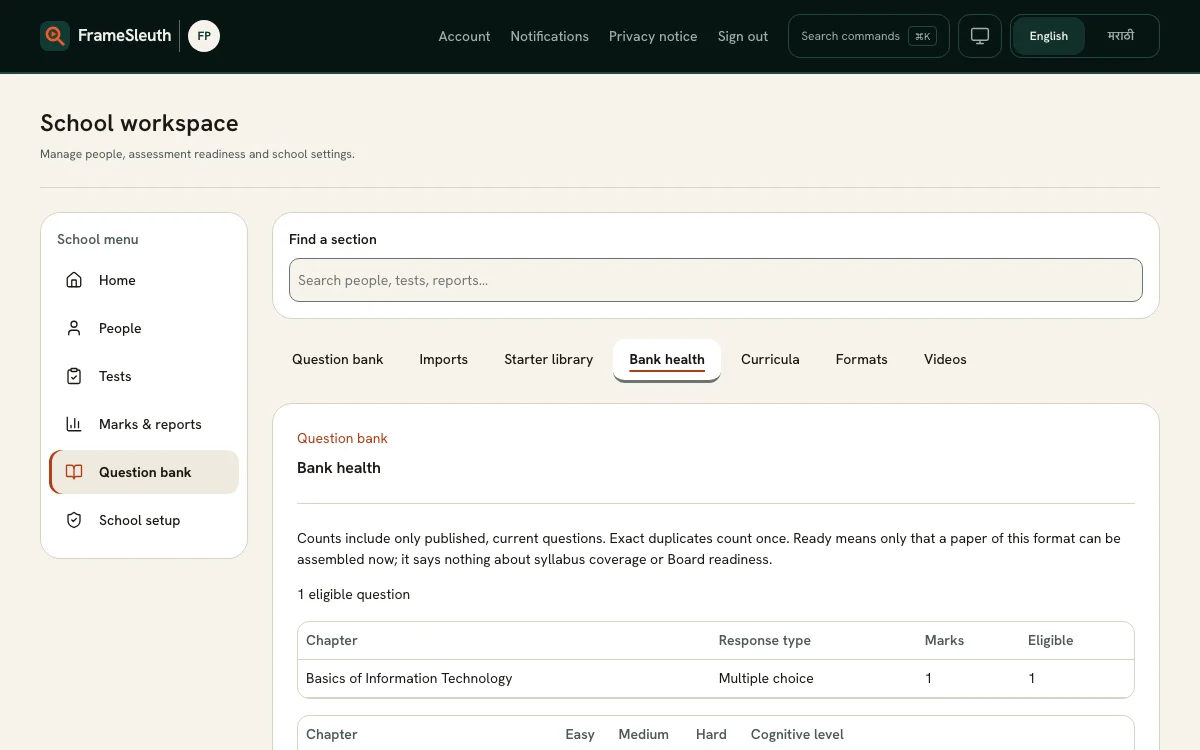
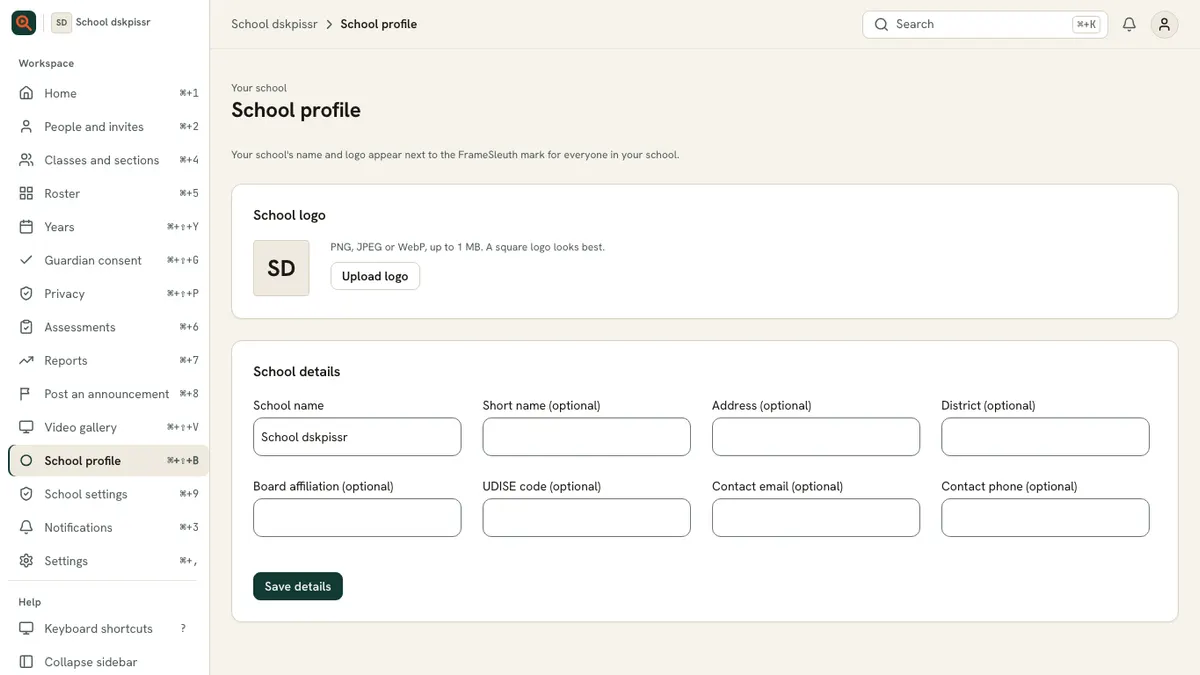
- Manage classes, memberships and student access in one place.
- See readiness and reports to plan the next teaching step.
- Keep consent, practical evidence and journal reviews organised.
Features
Ready to start?
Students sign in with the slip from their school. Teachers join by invite. Colleges apply online and we review each application.